|
This CHAPTER contains a listing and outline of the CONVERSATIONAL 4TH AXIS machining cycles available in KipwareM®.
Conversational cycles allow users to create G code for the specific shapes using only fill-in-the-blank forms ... no CAD model or drawing of any kind is required to create G code using these cycles. They are arranged in this listing on no particular order and the list is current as of the current release.
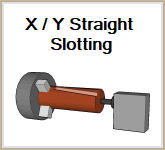
STRAIGHT SLOTTING
This cycle creates G code to create slots in the X/Y direction. Multiple positioning options are available including :
•Total # of slots
•4th axis angle of the first slot
•4th axis angle between the slots
•Incremental angular movement of the 4th axis while slotting ( twisted slots )
Multiple machining options are available including :
•Rough cutting ... left to right or right to left
•Finish cutting ... left to right or right to left
•Zig-zag cutting with RAMPING in Z
•Zig-zag cutting with PLUNGING in Z
•One direction cutting with RAMPING in Z
•One direction cutting with PLUNGING in Z
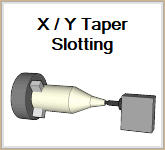
TAPER SLOTTING
This cycle creates G code to create slots in the X/Y direction. Multiple positioning options are available including :
•Total # of slots
•4th axis angle of the first slot
•4th axis angle between the slots
•ONE or TWO tapers can be configured
Multiple machining options are available including :
•Rough cutting or Finish cutting or BOTH can be configured
•Finish cutting
•Zig-zag cutting
•One direction cutting
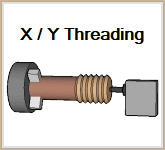
THREADING
This cycle creates G code to create a THREAD using X/Y/Z and the 4th axis. Multiple machining options are available including :
•Rough cutting ... left to right or right to left
•Finish cutting ... left to right or right to left
•User defined PITCH
•4th Axis angle of the thread start
•4th Axis rotation direction .... + or -
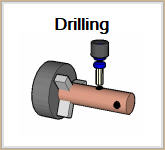
DRILLING
This cycle creates G code to machine round holes or pockets slots in the X/Y direction. Multiple positioning options are available including :
•Unlimited user defined X, Y, Z, 4th axis positions for holes / pockets
•Each location can be configured with an individual hole diameter.
Multiple machining options are available including for holes / pockets :
•PLUNGE cycle
•POCKET cycle
•BOTH plunge and pocket
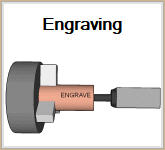
ENGRAVING
This cycle creates G code to ENGRAVE a user defined line of text. Two font styles are available and the line of text can be rotated at any user defined angle with a single angular input on the form. User can defined the height of the text, distance between the letters and depth of the text. A useful tool will auto calculate the length of the text string per the height and distance between the letters for positioning purposes.
|

